Clawcloud搭建带openlist的iptv-api

懒人福利:

点播和直播源一起(ipv4和ipv6,老版tvbox)
copy
1
https://file.08080.v6.rocks/api/public/dl/RkDNUvsj/tvbox/config4.json
copy
1
https://file.08080.v6.rocks/api/public/dl/RkDNUvsj/tvbox/config6.json
点播和直播源分开(ipv4和ipv6)
1
2
3
4
5
https://iptv.08080.v6.rocks/ipv4/m3u
https://iptv.08080.v6.rocks/ipv4/txt

https://iptv.08080.v6.rocks/ipv6/m3u
https://iptv.08080.v6.rocks/ipv6/txt
1
https://file.08080.v6.rocks/api/public/dl/RkDNUvsj/tvbox/tvbox.json

注意:这里适合没有NAS、openwrt、vps等人群,如果有,最好本地部署,结果更好

搭建开始 视频连接youtube

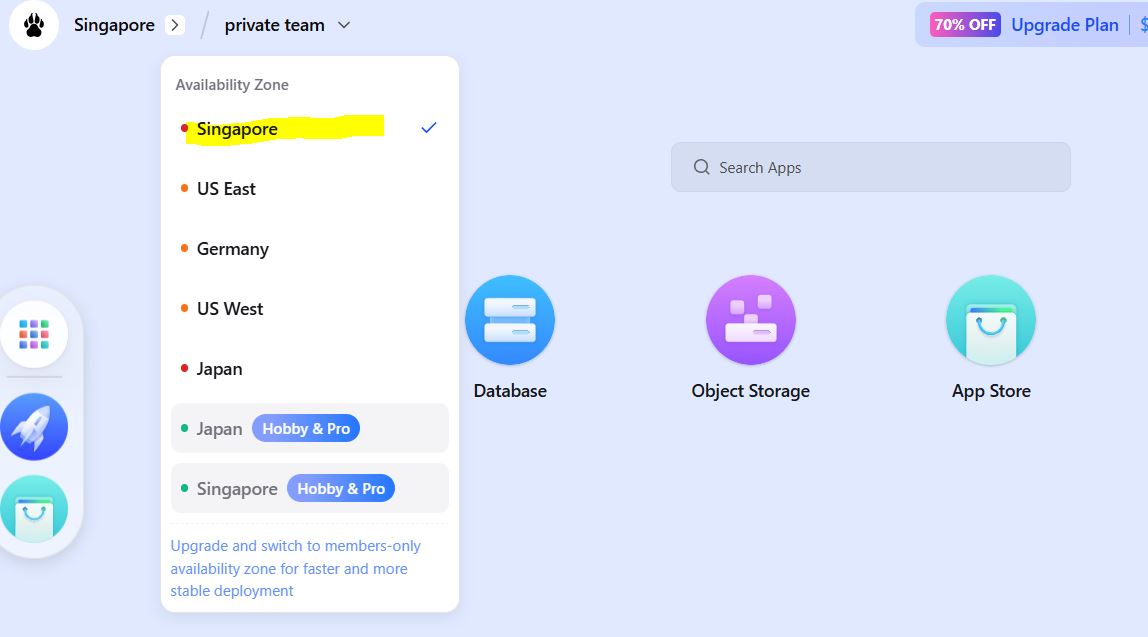
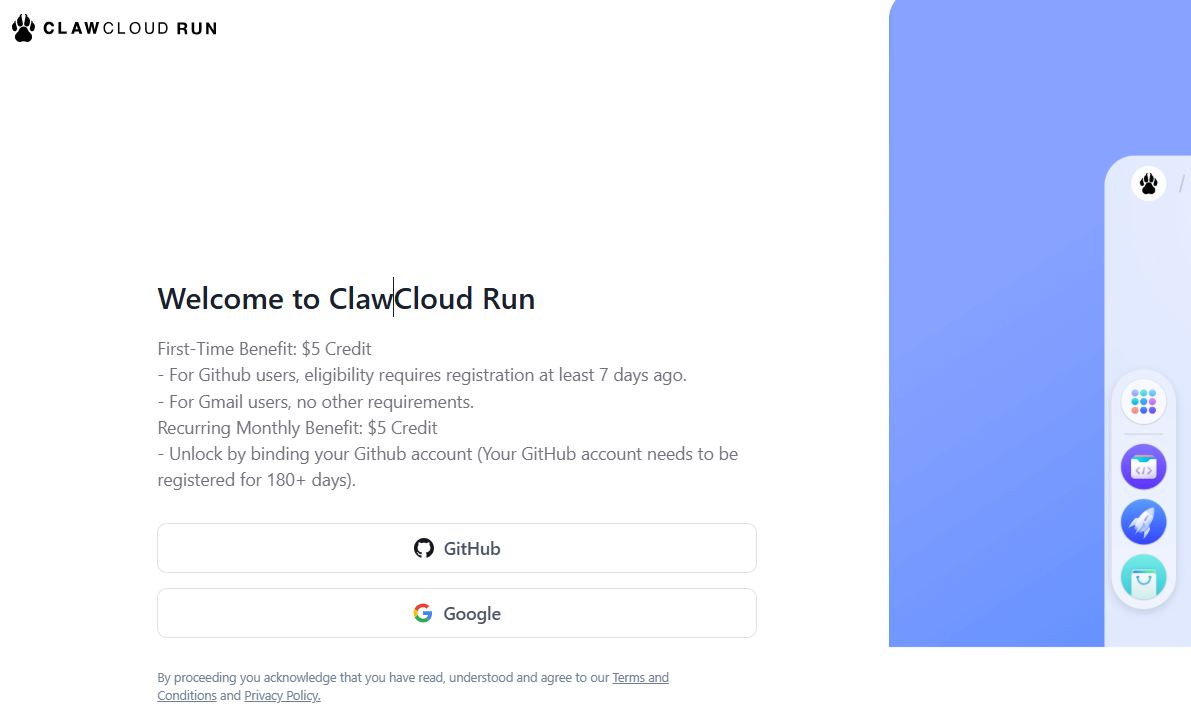
1.登录claw,选择一个区域,例如Singapore

Open CLAW, 登录claw
Inserted picture
选择一个区域,例如Singapore
Inserted picture

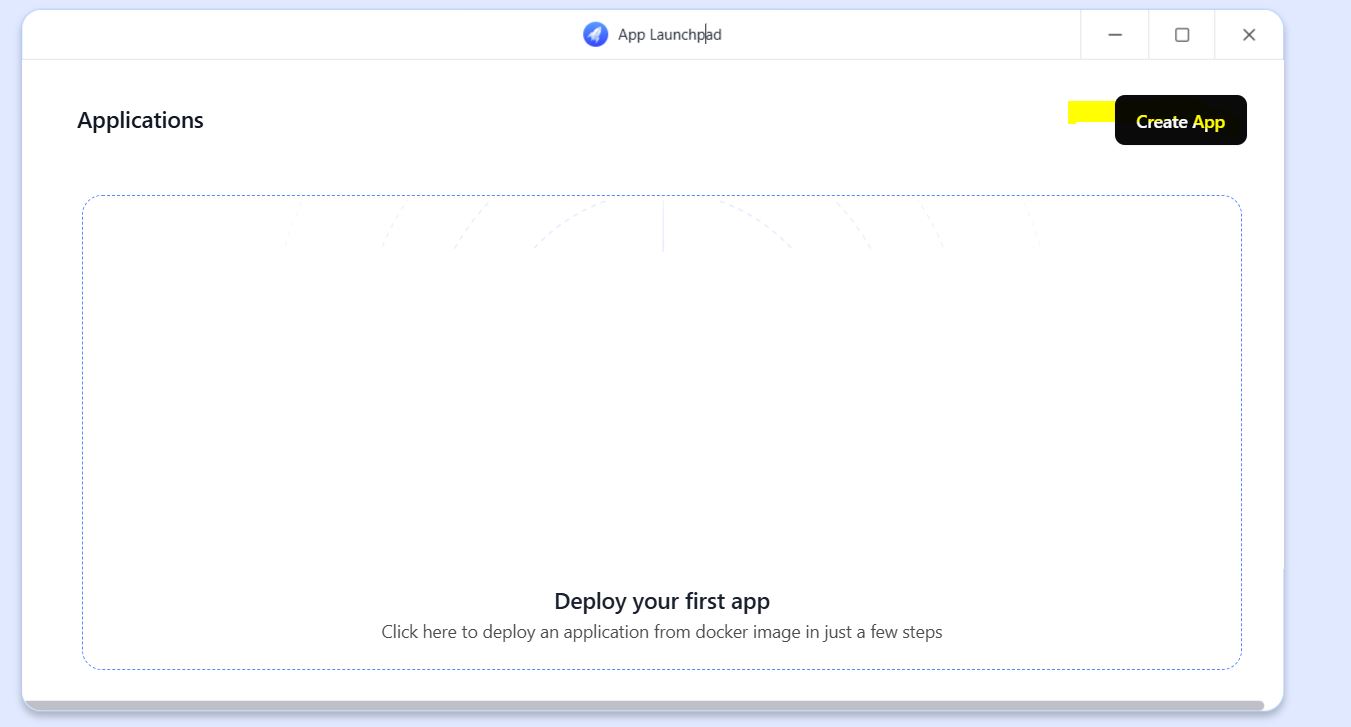
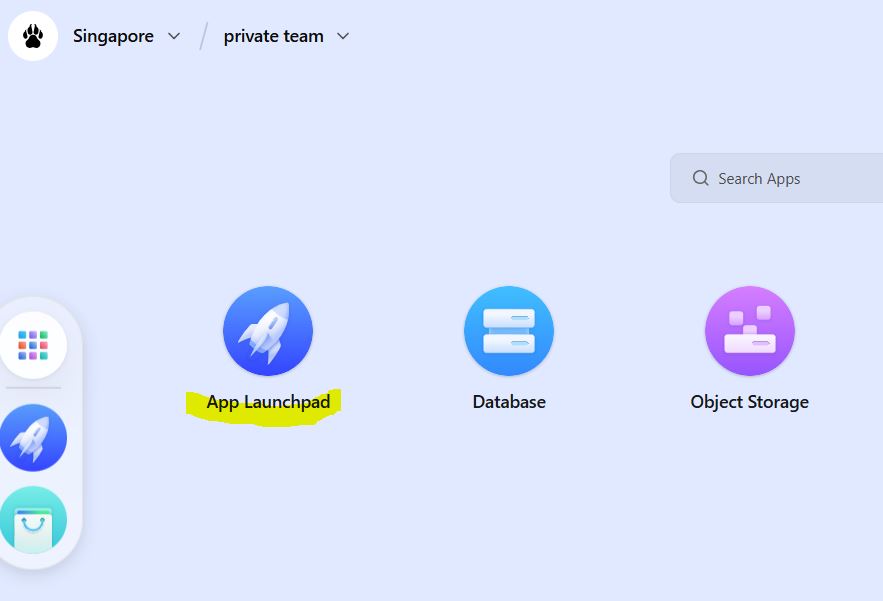
2.打开APP Launchpad,进入application,点击Create app

打开APP Launchpad
Inserted picture
进入application,点击Create app
Inserted picture

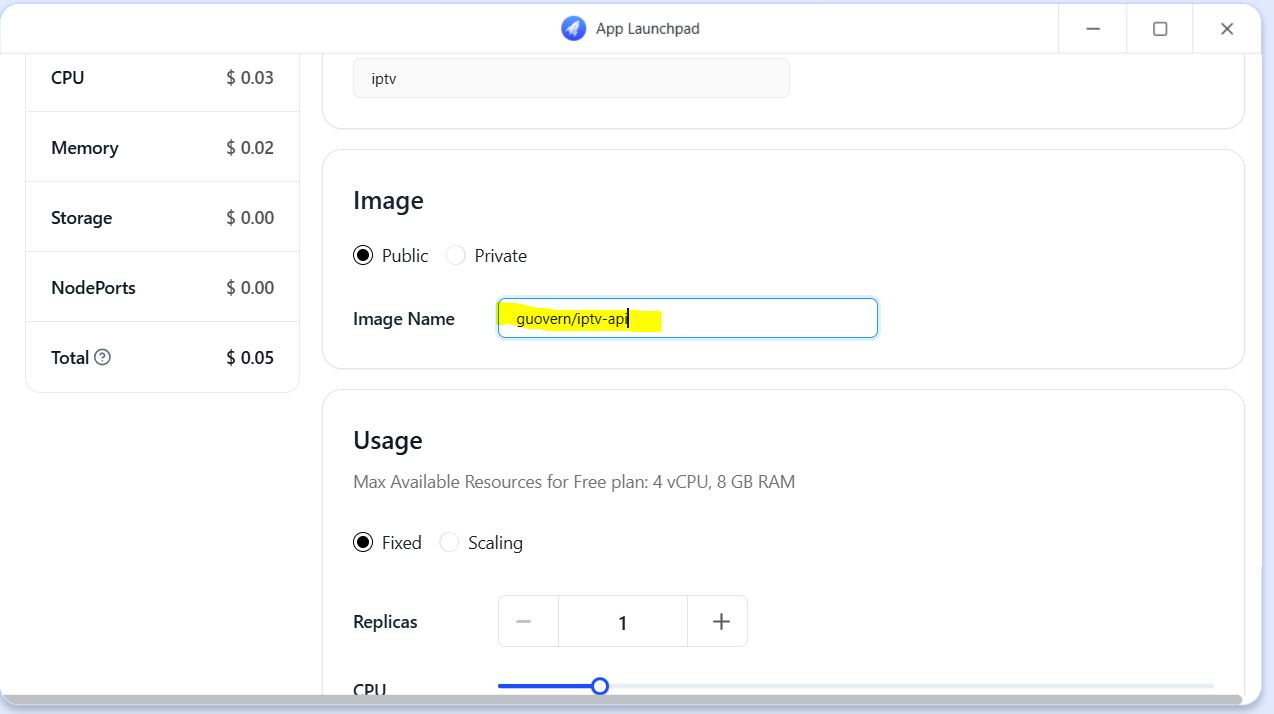
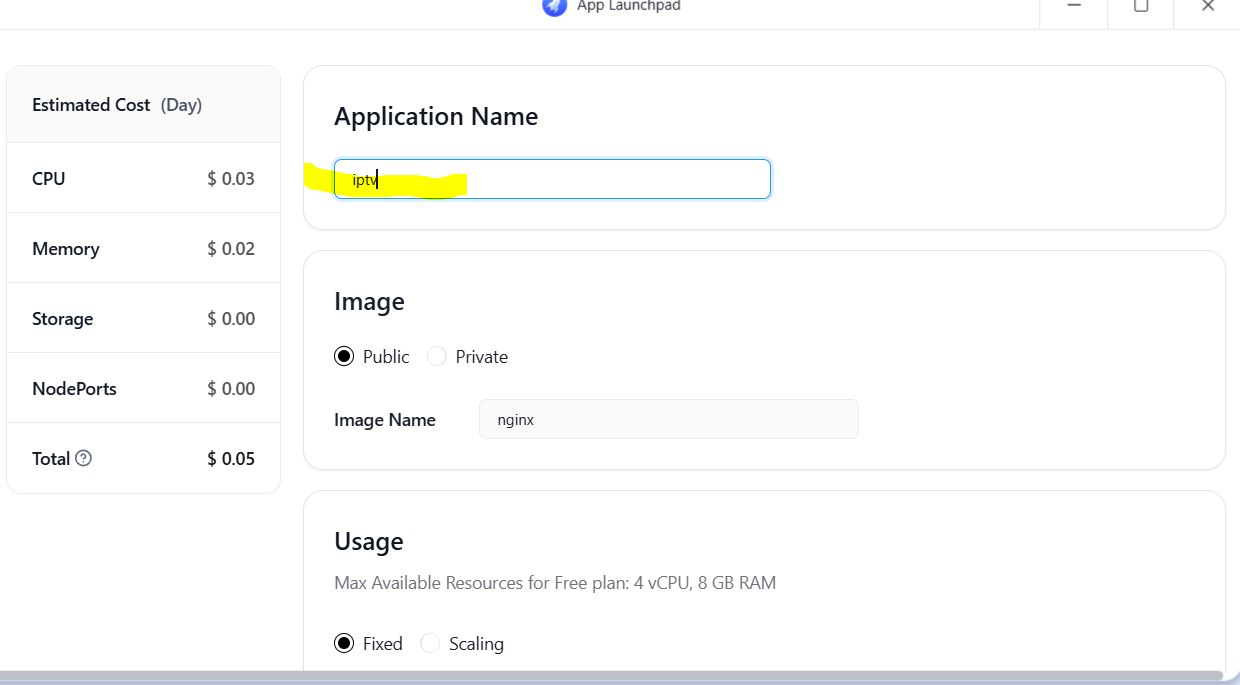
3.Name随便填,我改为iptv,Image Name填入guovern/iptv-api

Name随便填,我改为iptv
Inserted picture
Image Name填入 guovern/iptv-api

1
guovern/iptv-api

Inserted picture

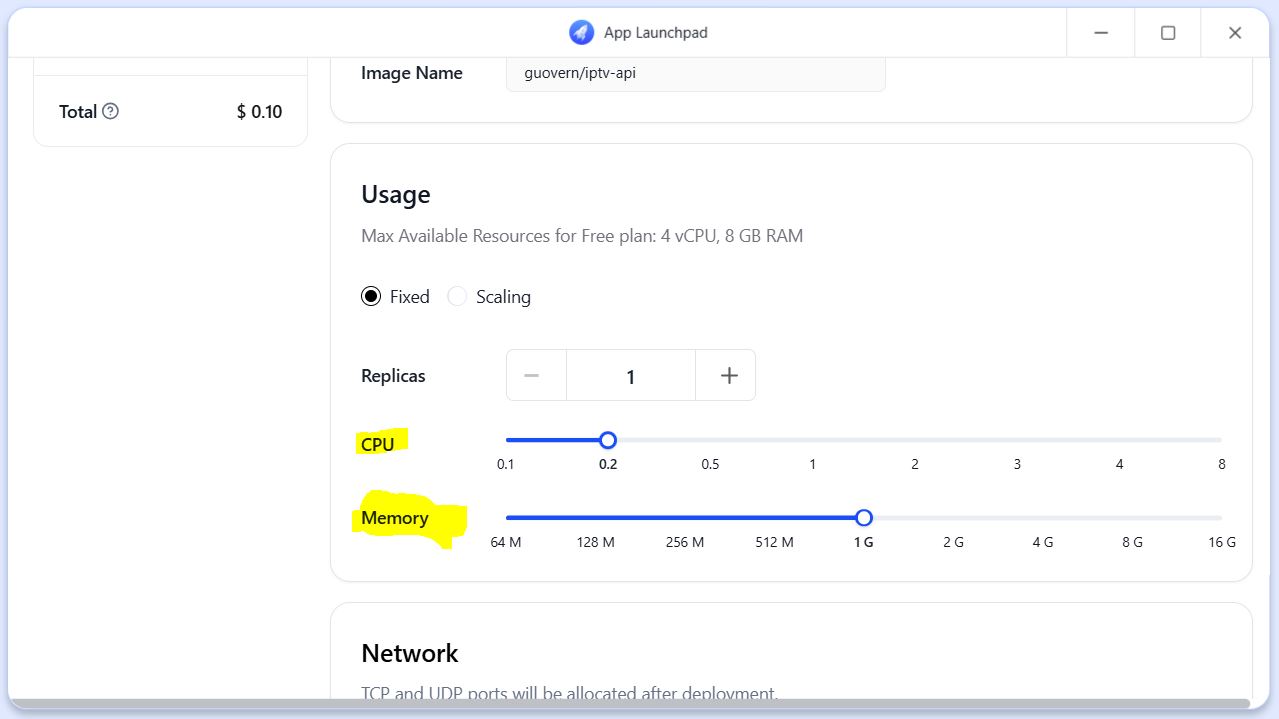
4.CPU设定0.2,Memory设定1G

Inserted picture

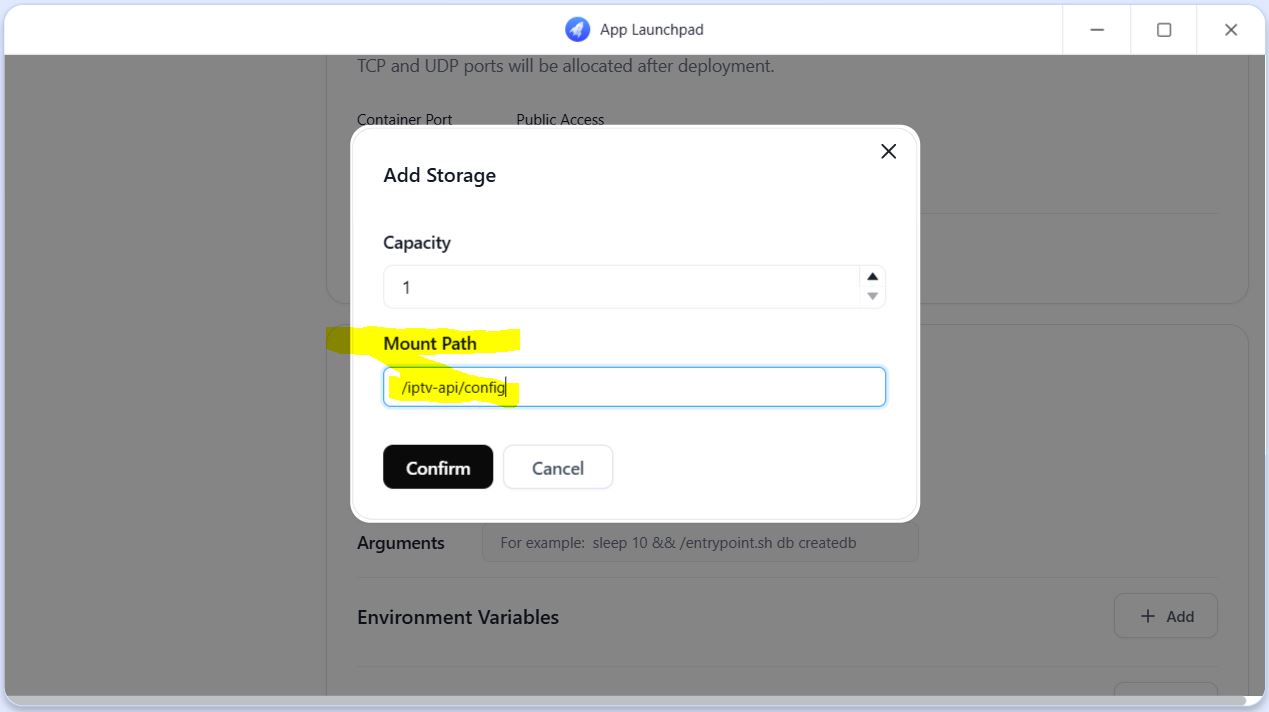
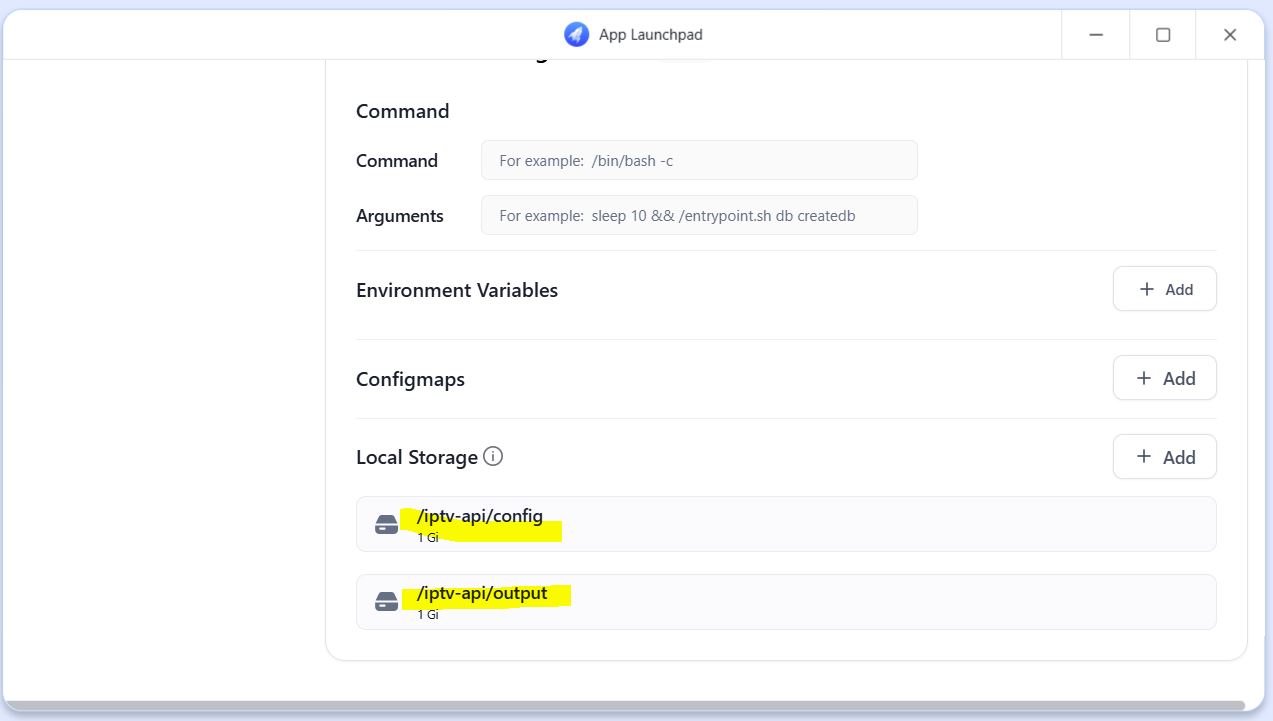
5.下拉到Loc Storage,点右边add,添加下面两个目录/iptv-api/config /iptv-api/output
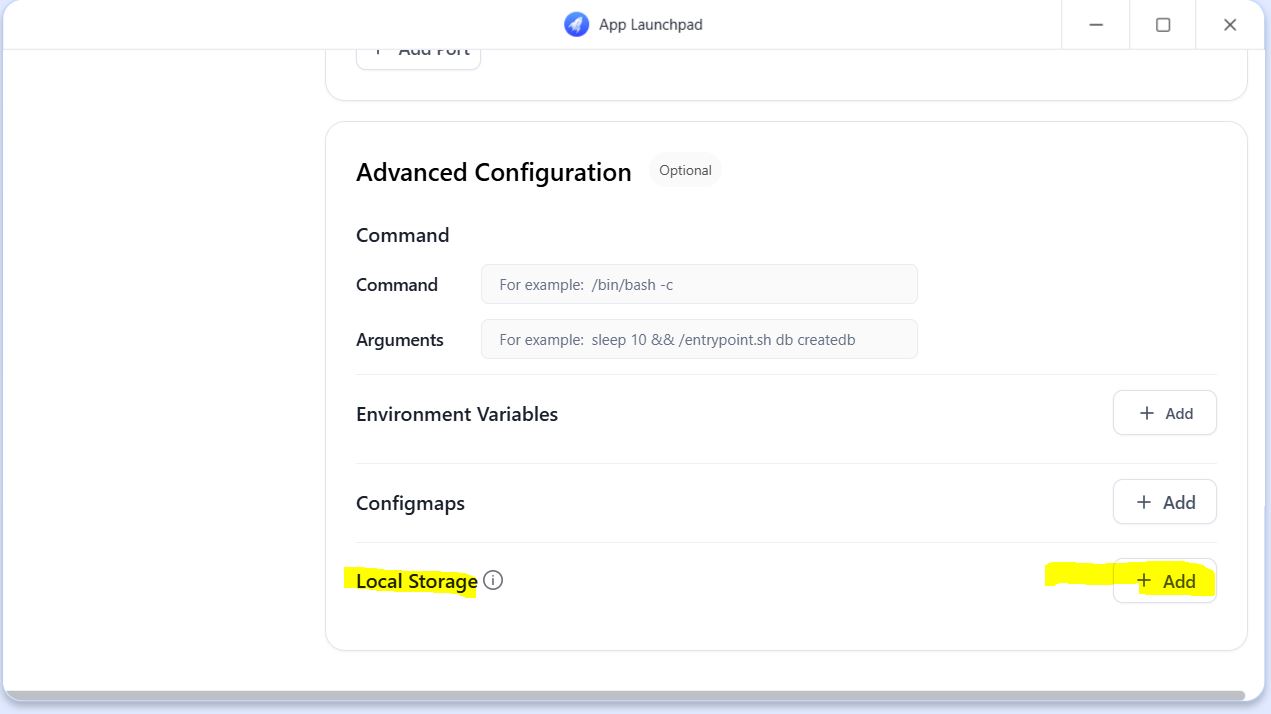
Inserted picture
添加目录

1
2
3
/iptv-api/config  

/iptv-api/output

Inserted picture
Inserted picture

6.点击右上角Deploy Application,等待服务启动

点击右上角Deploy Application
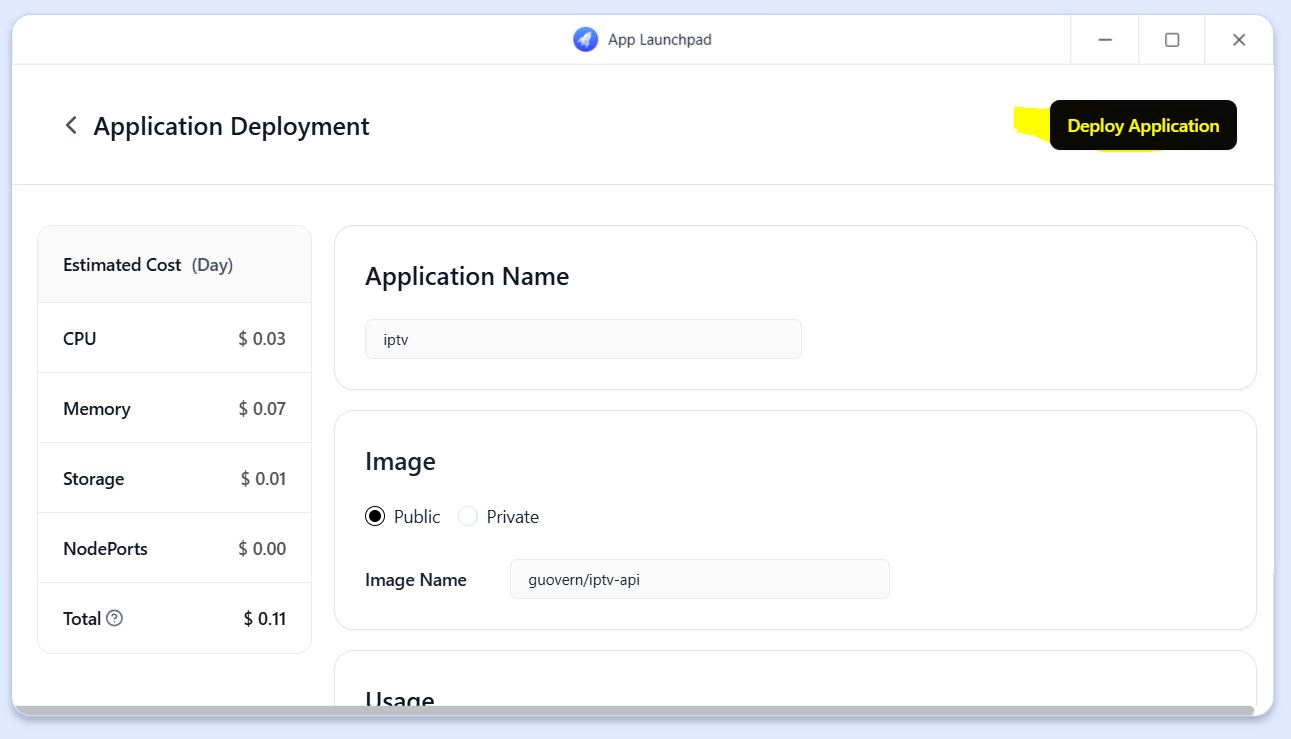
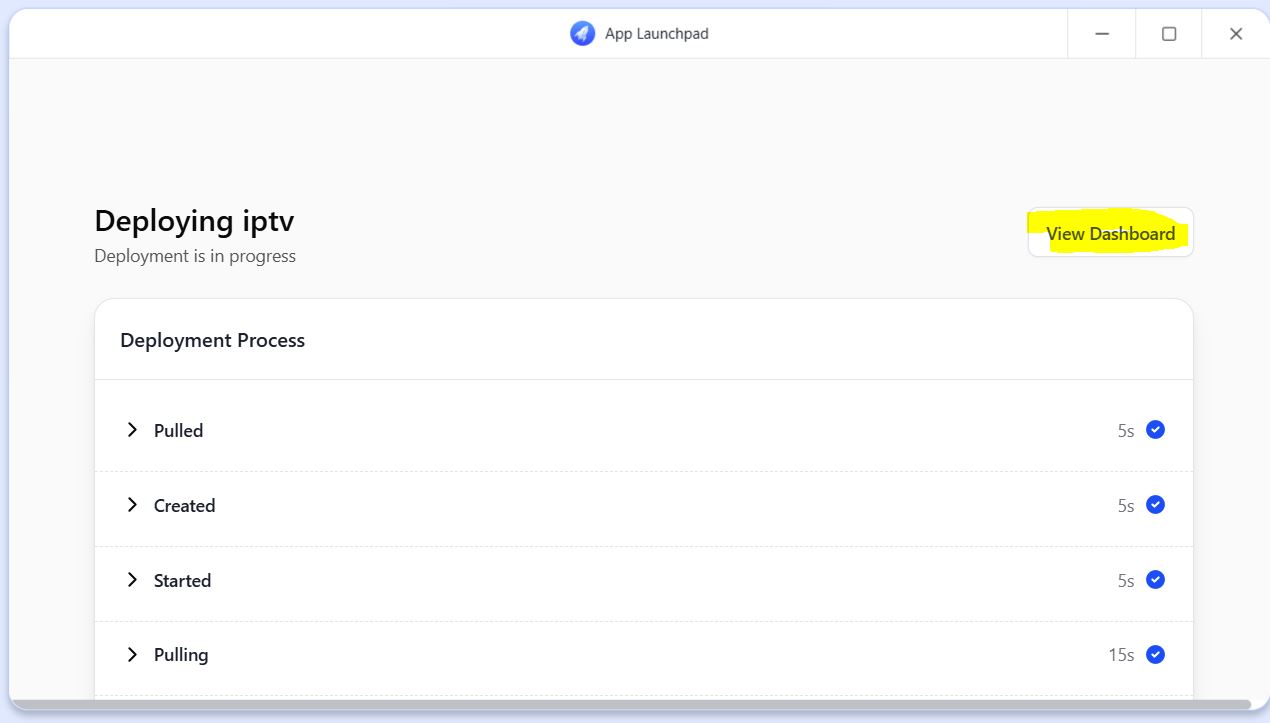
Inserted picture
Inserted picture

7.当在Pod list的Status为active,点击Restart后面的 >_ 按钮,
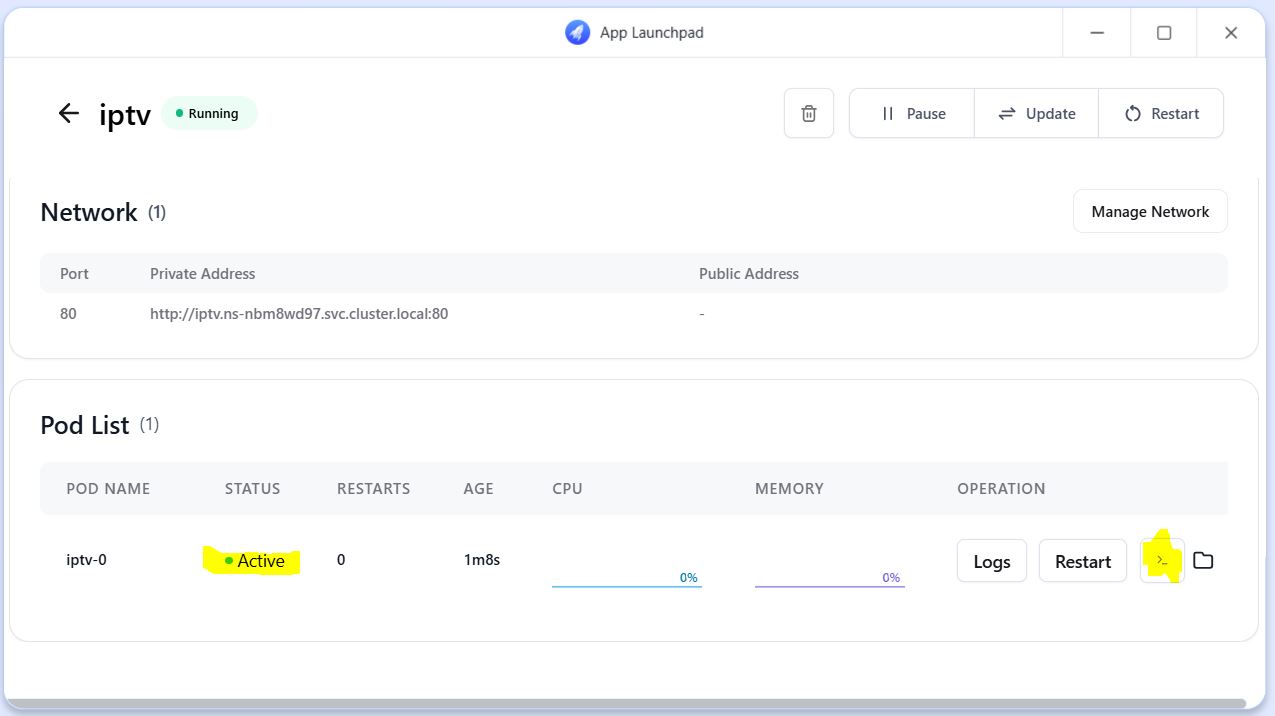
Inserted picture

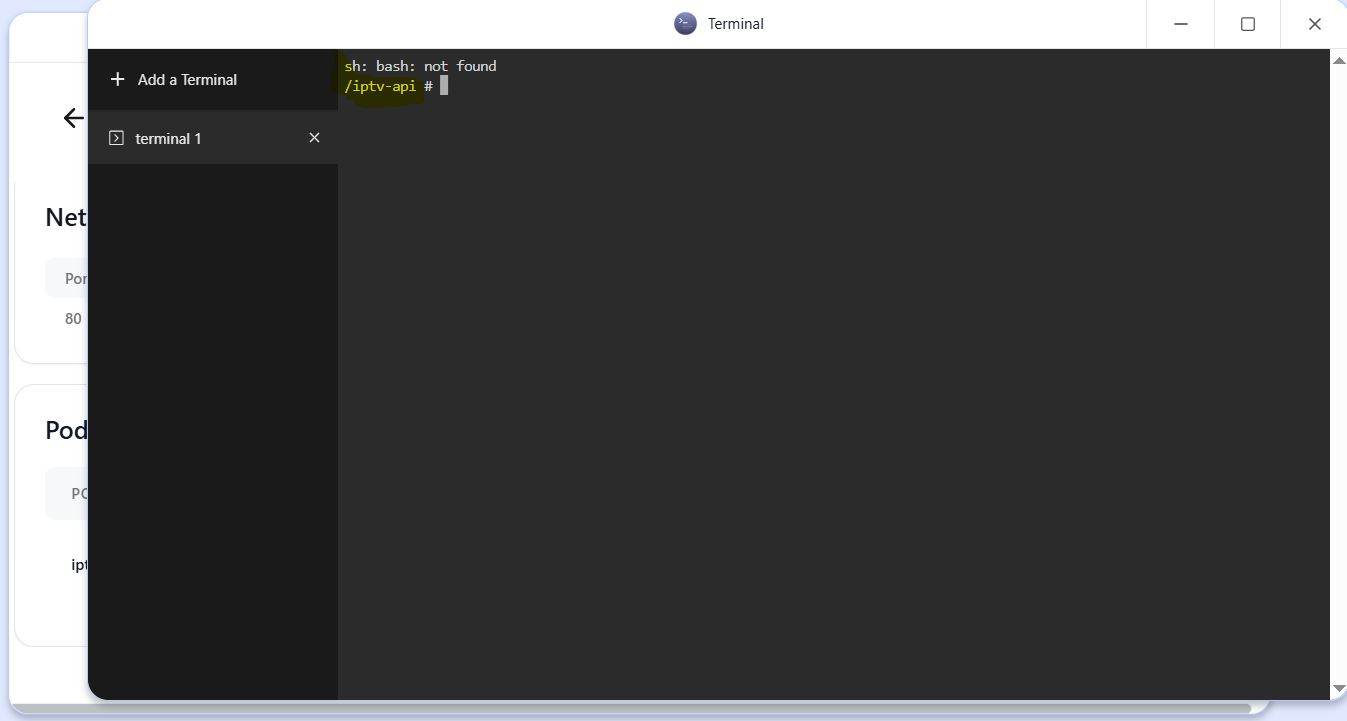
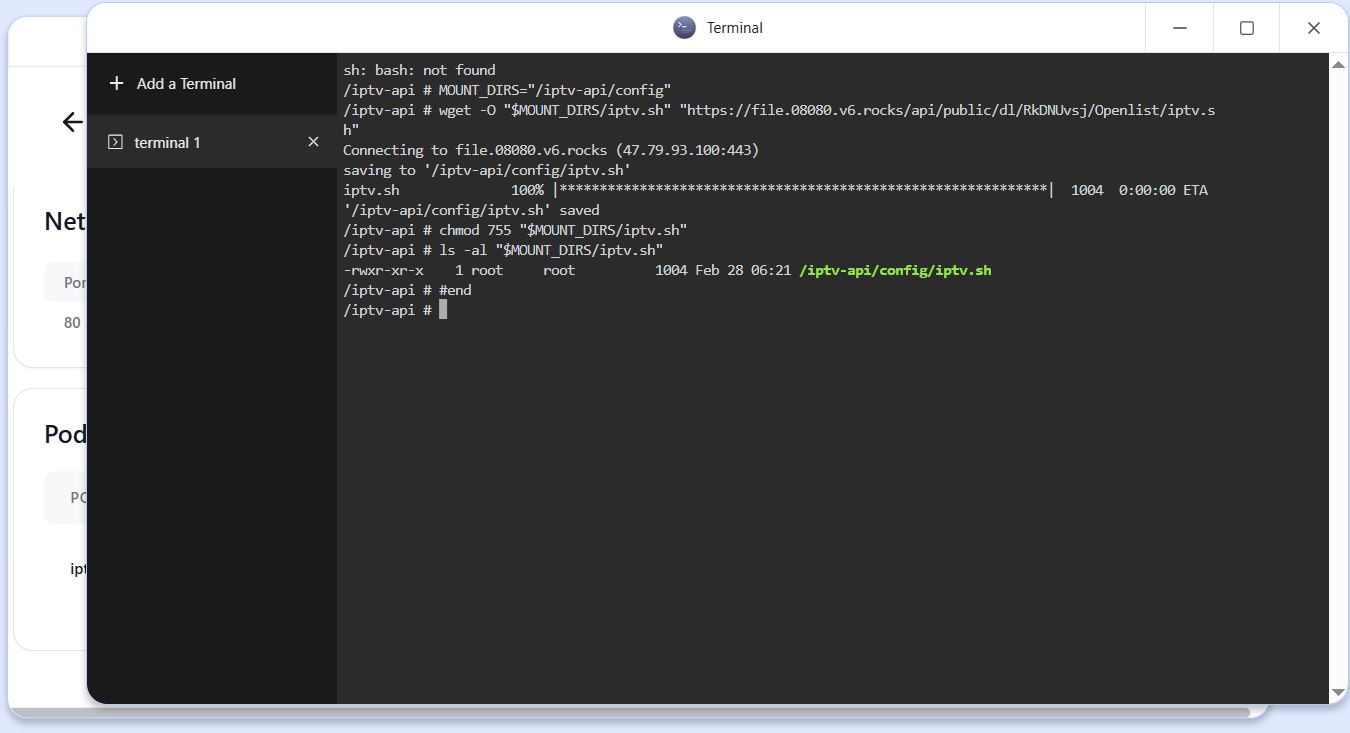
8.进入Terminal,可能需等待一会,等Terminal出现/iptv-api#时,复制以下内容:

1
2
3
4
5
MOUNT_DIRS="/iptv-api/config"
wget -O "$MOUNT_DIRS/iptv.sh" "https://file.08080.v6.rocks/api/public/dl/RkDNUvsj/Openlist/iptv.sh"
chmod 755 "$MOUNT_DIRS/iptv.sh"
ls -al "$MOUNT_DIRS/iptv.sh"
#end

Inserted picture

粘贴到/iptv-api#后面,按ENTER

Inserted picture

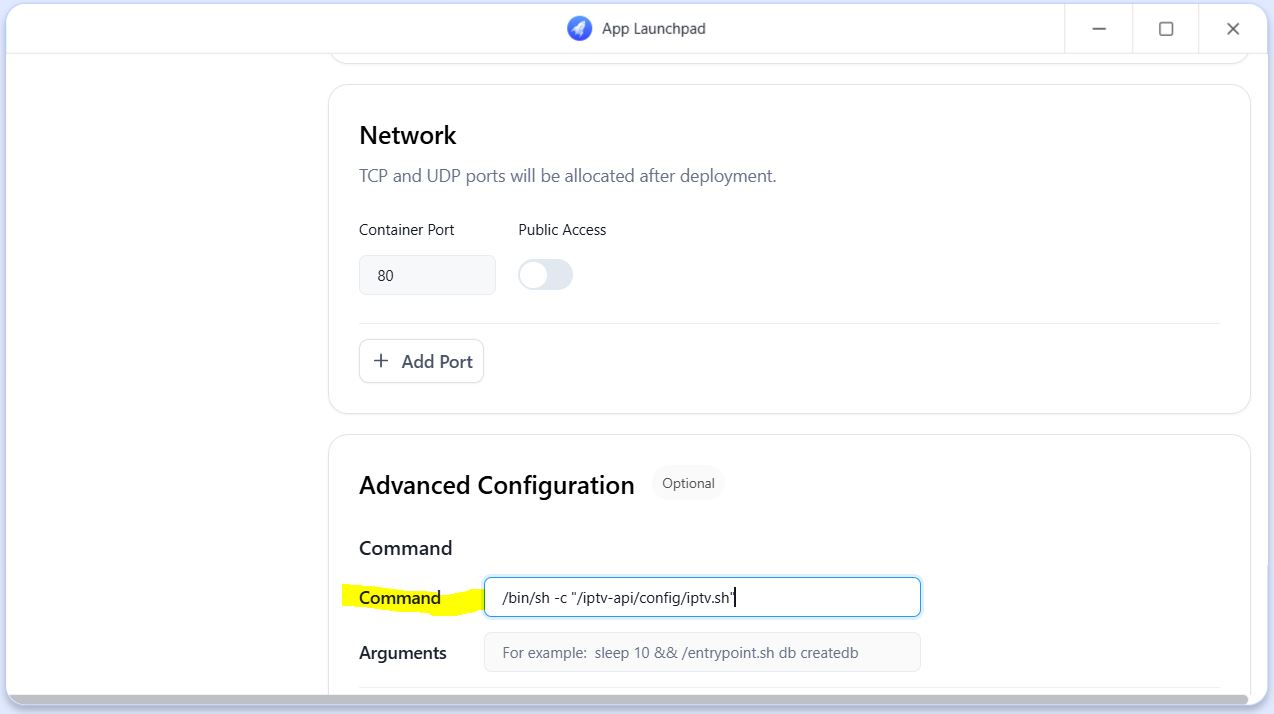
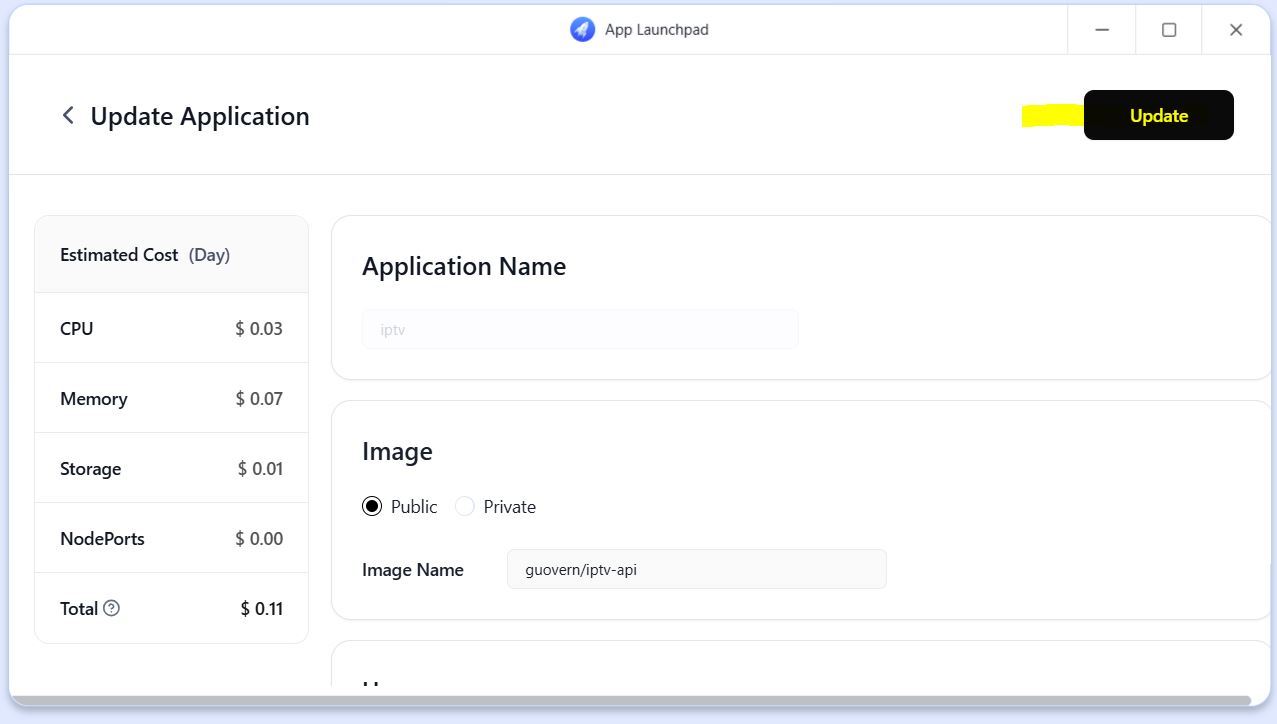
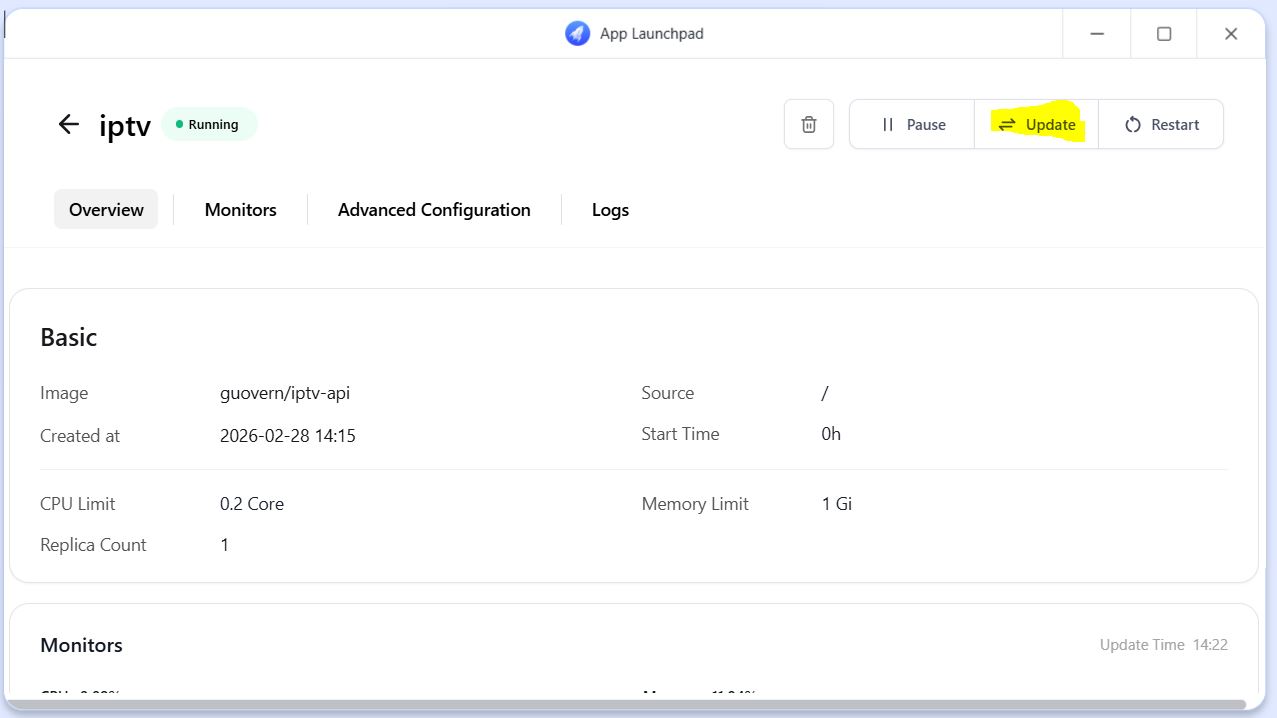
9.点右上角update,进入Update Application,在Command里填入
Inserted picture

1
/bin/sh -c "/iptv-api/config/iptv.sh"

Inserted picture

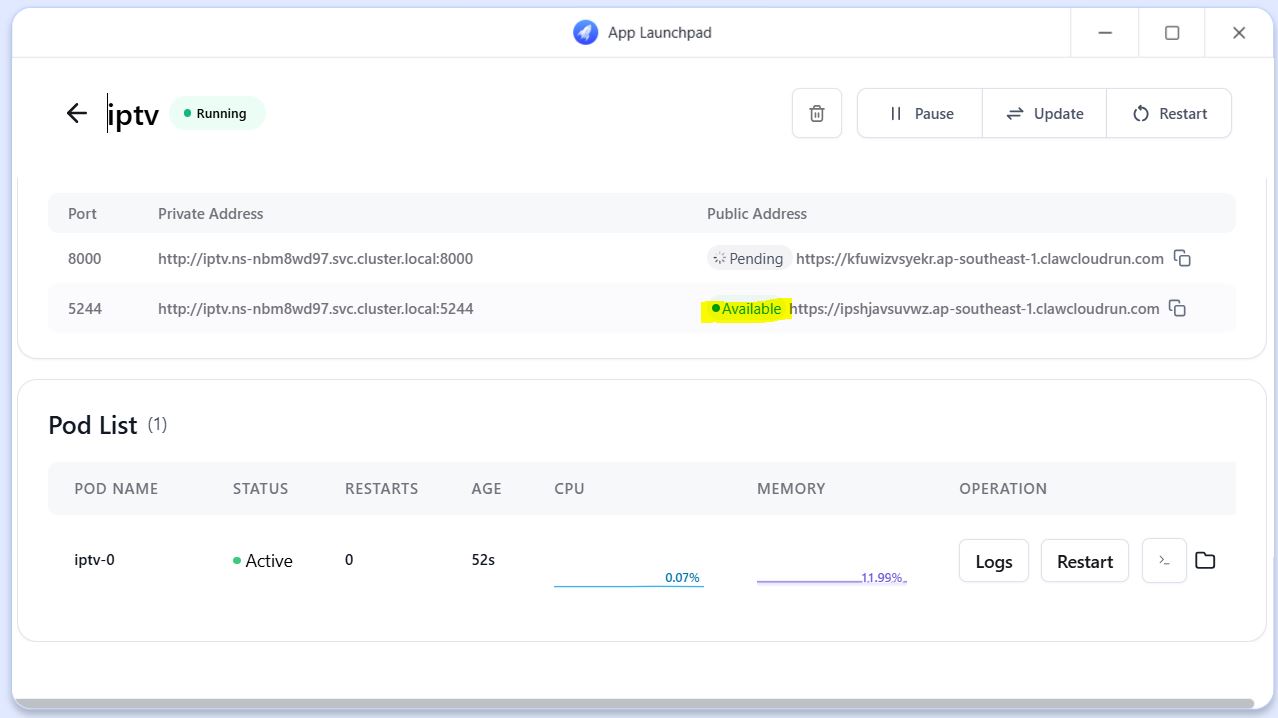
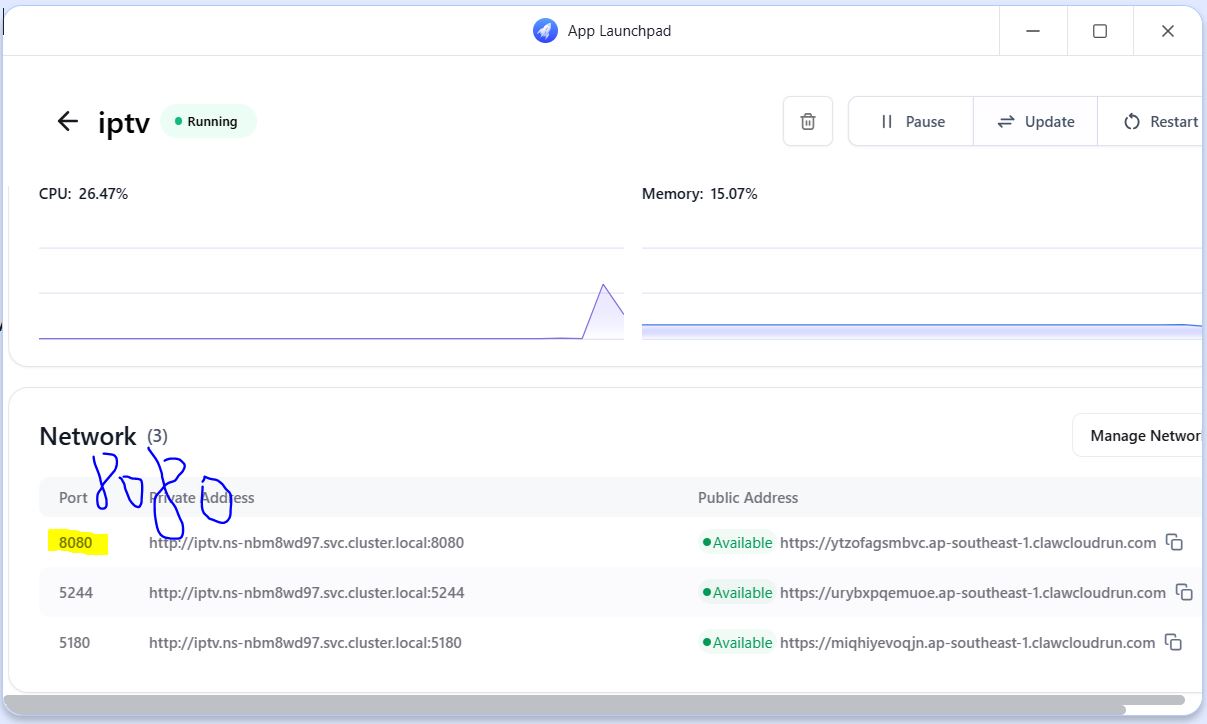
10.在Network里点Add port,添加5244、8080两个端口(视频中8000 改 8080)
Inserted picture

11.完成后点右上角update,确定,等待重启部署

Inserted picture

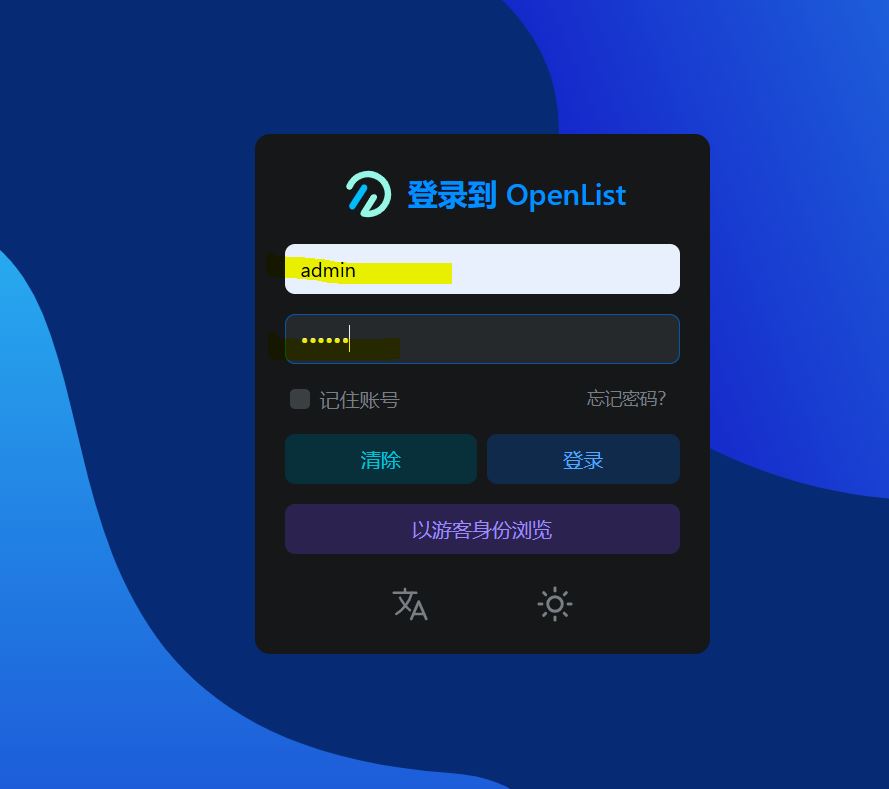
12.等待域名完成,就可以点击进入openlist

Inserted picture

1
2
账号:admin
密码:123456

Inserted picture

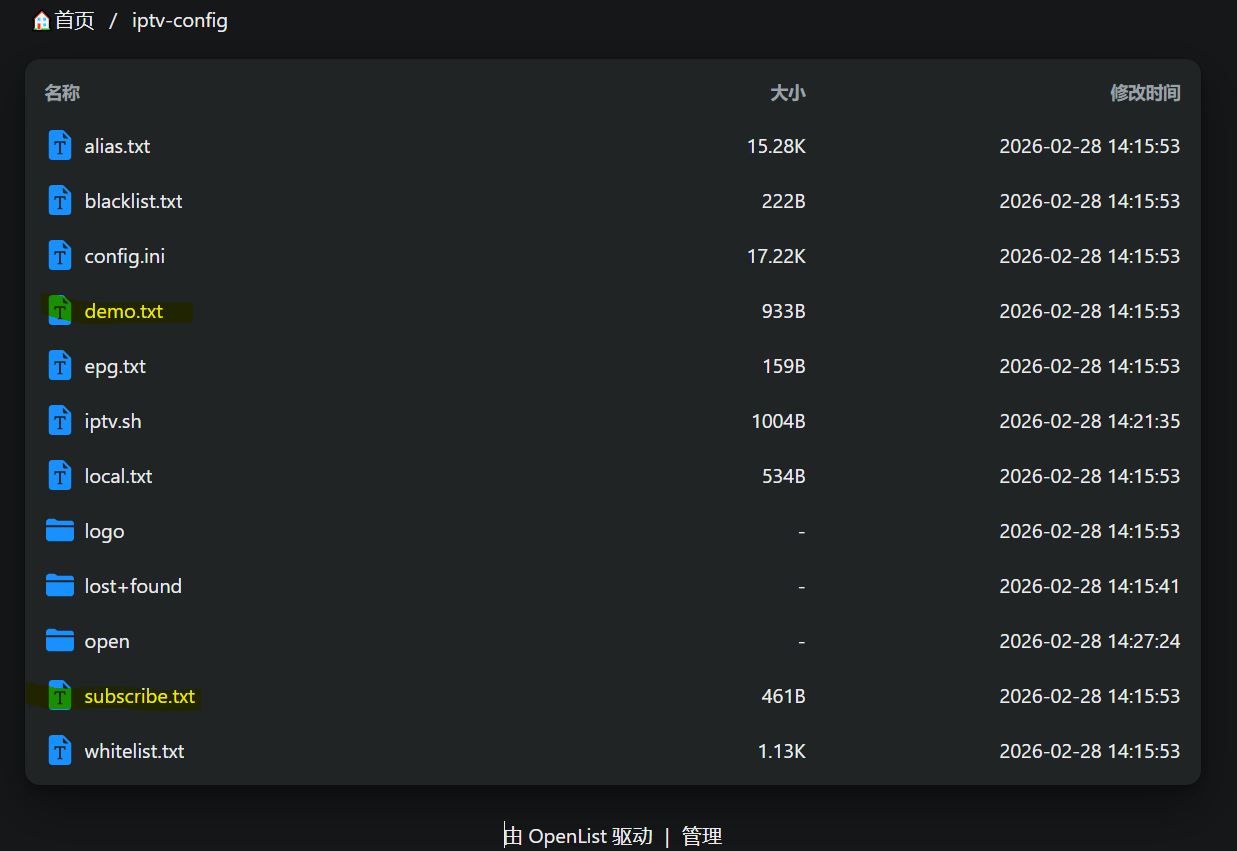
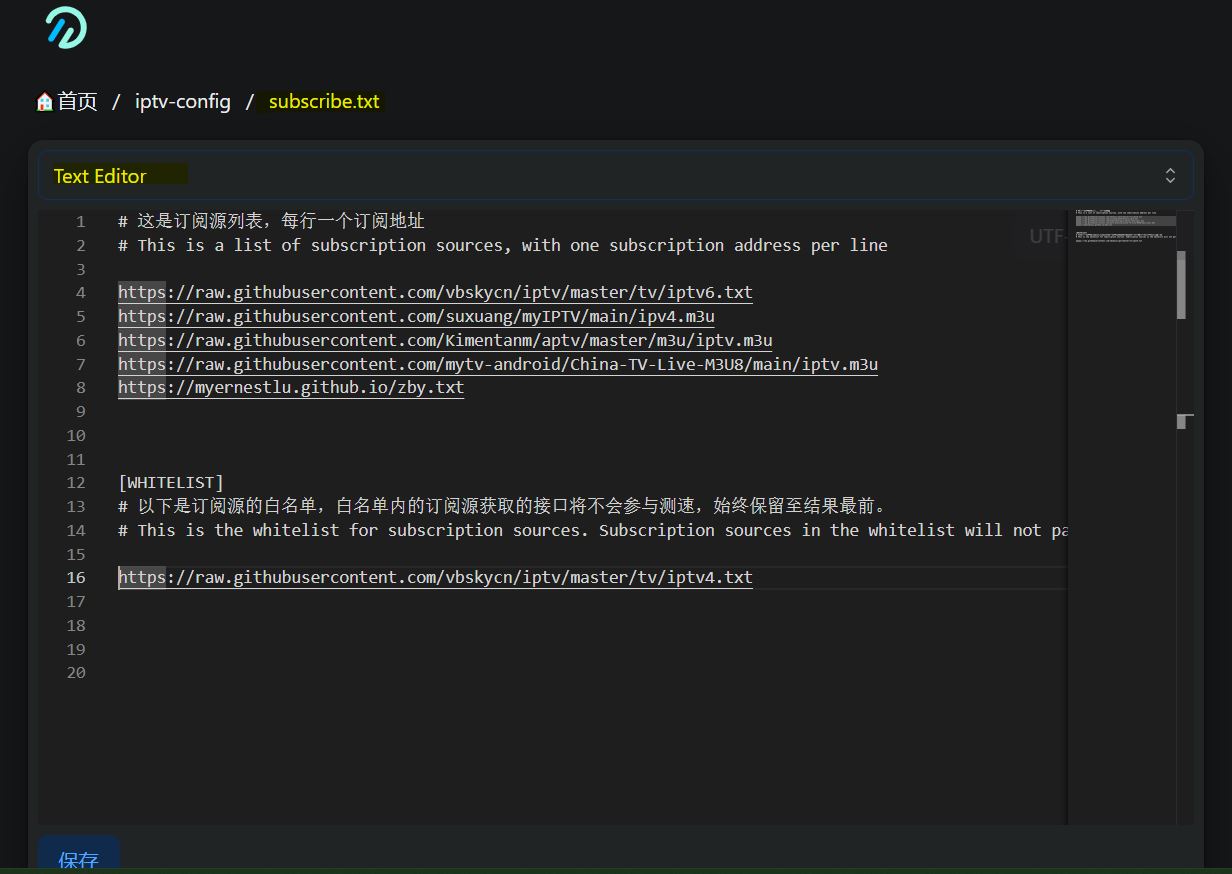
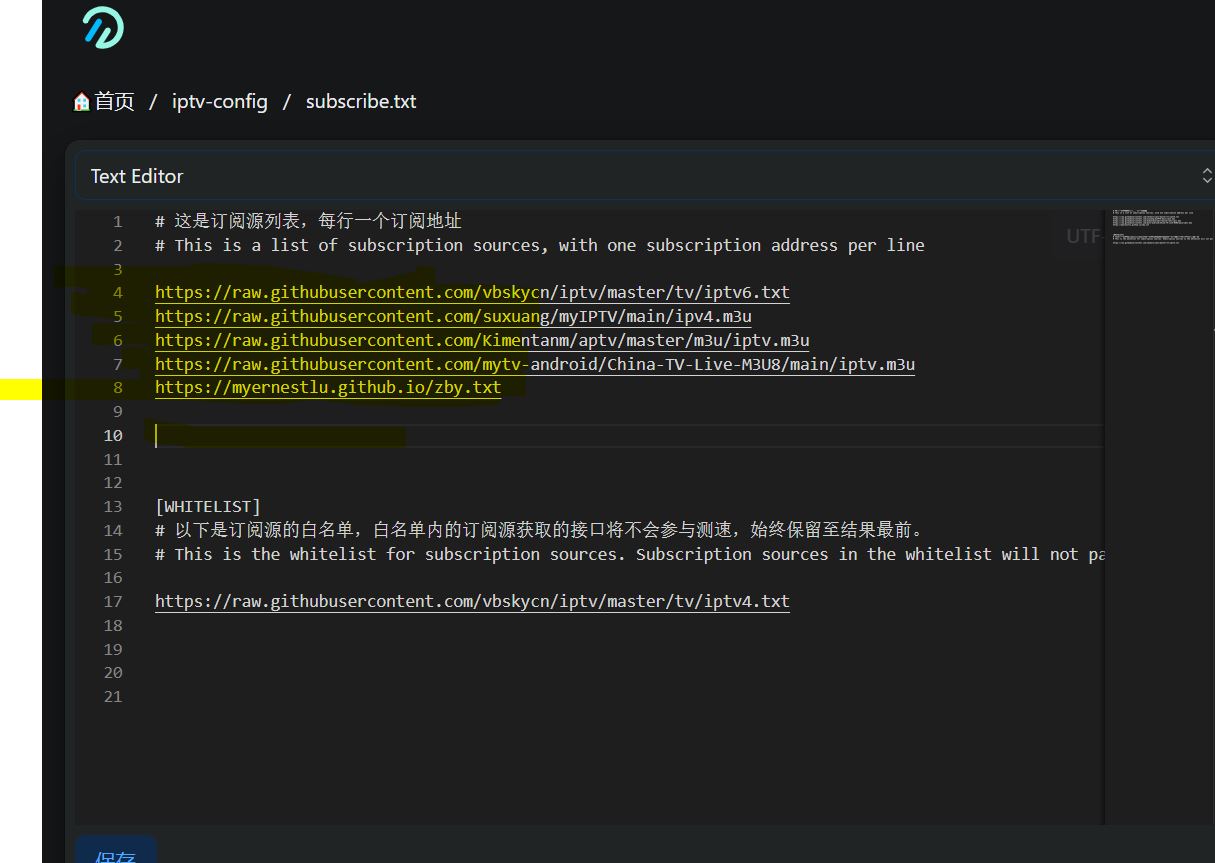
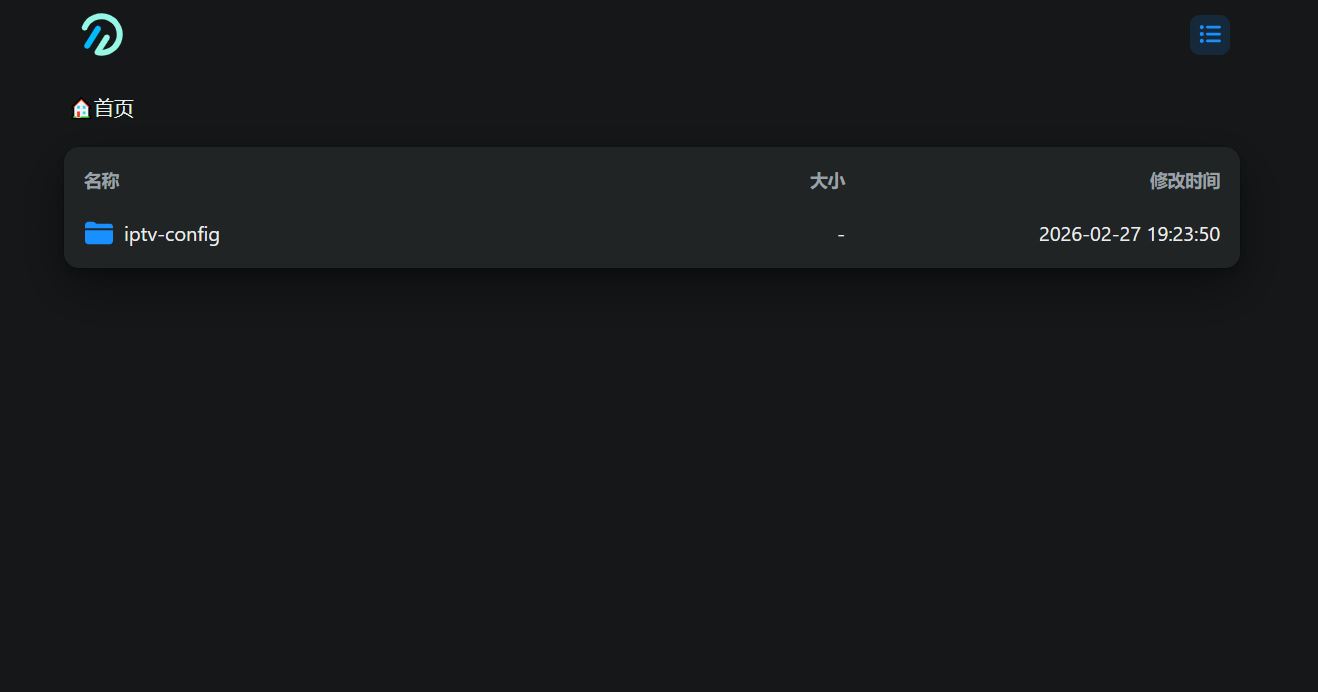
13.登录来到iptv-config,需要修改demo.txt 和subscribe.txt文件,也可以下载我的
Inserted picture

1
2
https://file.08080.v6.rocks/api/public/dl/RkDNUvsj/Openlist/iptv-config/demo.txt
https://file.08080.v6.rocks/api/public/dl/RkDNUvsj/Openlist/iptv-config/subscribe.txt

Inserted picture
Inserted picture

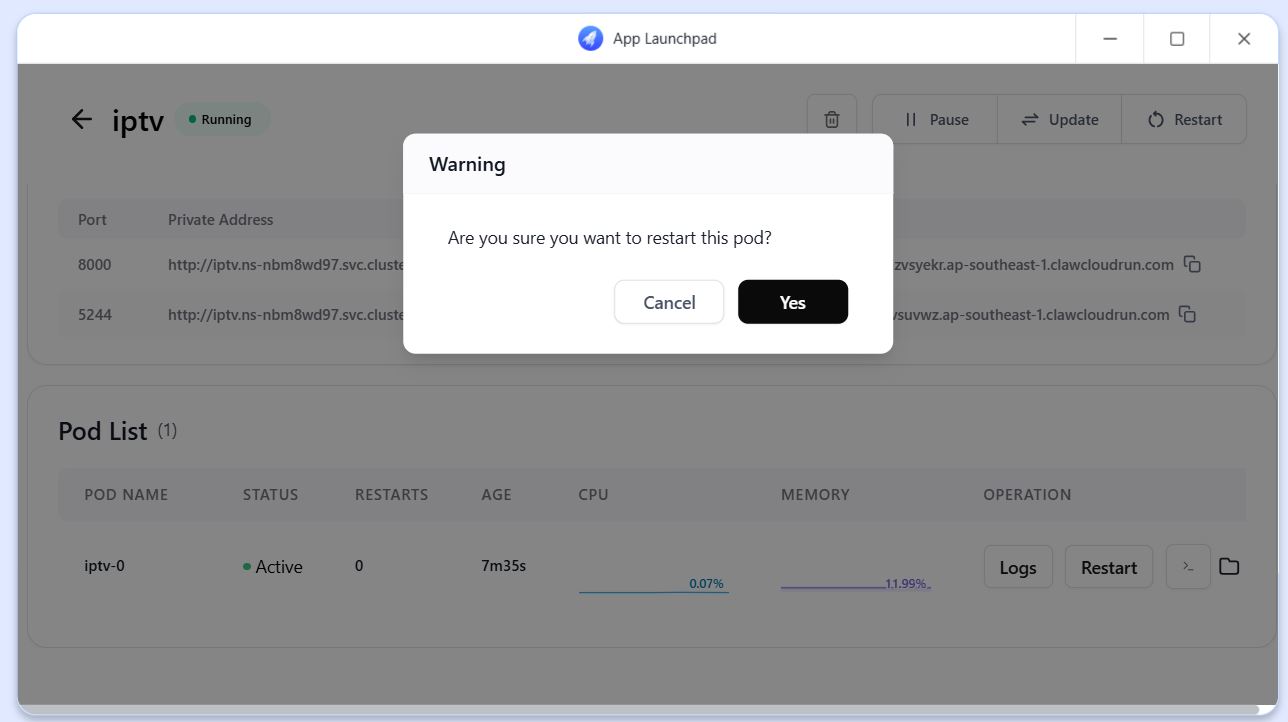
14.修改后重启容器,等待直播源测试完成,需要一点时间,就可以直接访问

Inserted picture

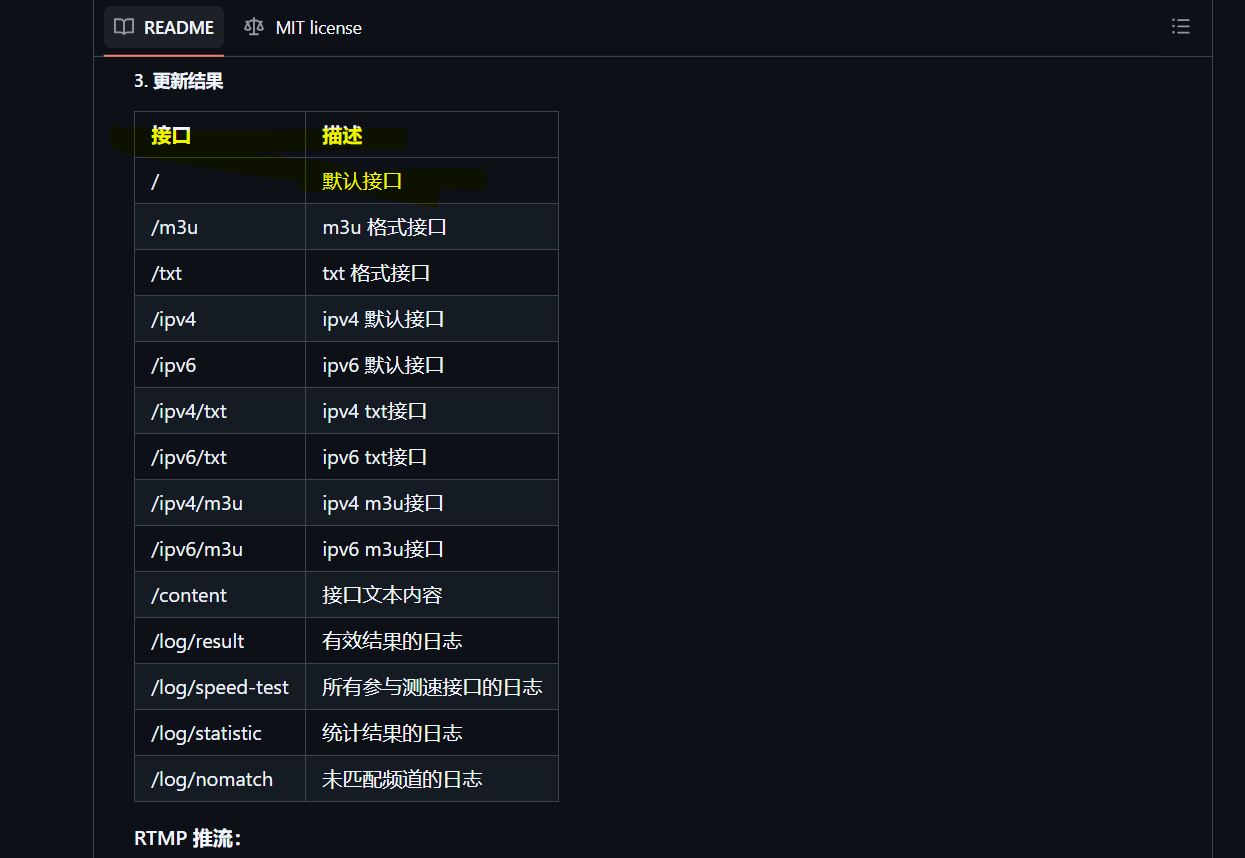
具体格式访问:

1
https://github.com/Guovin/iptv-api

Inserted picture

15.可以自己收集直播源,放入subscribe.txt文件中

Inserted picture

16.点播源可以搭建CMS10,KatelyaTV等,有兴趣的可以参考下面连接:

1
https://www.xuxlc.cn/article/details-67.html
1
https://github.com/katelya77/KatelyaTV

17.谢谢观看!!

Enjoy backgroud song


Clawcloud搭建带openlist的iptv-api
https://blog.08080.v6.rocks/2026/02/28/26.02Clawcloud搭建带openlist的iptv-api.cn/
作者
Myself
发布于
2026年2月28日
许可协议